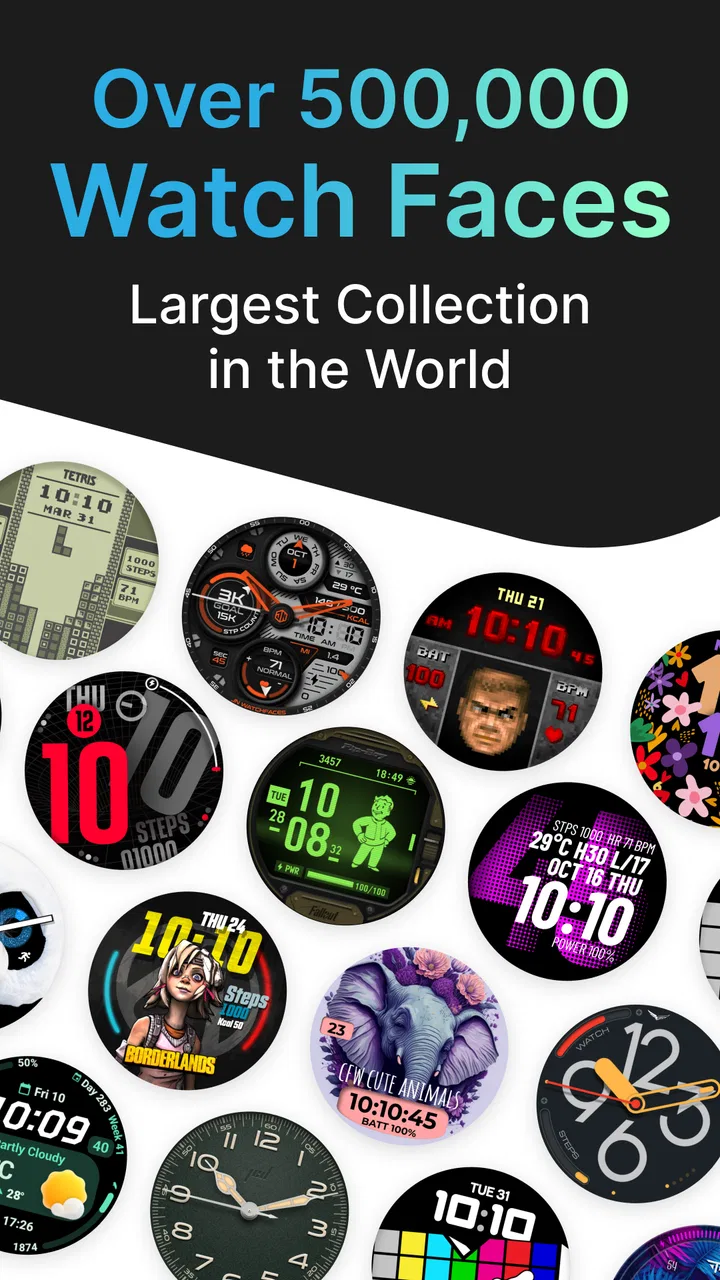
Facer Watch Faces
- 4.2
- Rating
- 10.00M
- Installs
- Free
- Price

 Analysis by App-foxy
I installed Facer Watch Faces because I wanted my smartwatch to feel less like a tiny utility screen and more like something I had chosen deliberately. The app comes from Facer Studios and sits in the personalization category, with a simple purpose: help you change the face on a compatible smartwatch instead of settling for the default design. My first impression was that it is much closer to a discovery and customization hub than to a single watch-face tool.
That distinction matters. If you only want one clean digital clock and never plan to change it, the watch’s built-in selection may be enough. If you enjoy matching your watch to work clothes, exercise, travel, or your general mood, this app gives you a much broader place to explore. It is free to install, rated for Everyone, and supported by optional in-app purchases ranging from $0.49 to $39.99 per item. I found the free starting point useful, although the most attractive designs can make the paid side of the catalog noticeable.
From a plain watch screen to a face that fits the day
My starting condition was familiar: the watch worked perfectly, but its default face did not suit every situation. I wanted something readable during a quick glance, attractive enough for everyday wear, and flexible enough that I would not need to rebuild the experience every time my plans changed. Facer’s strength is that it lets me approach that problem visually. Instead of beginning with a technical setting, I begin by looking through designs and deciding what kind of information and style I want on my wrist.
You May Also Like

 Blood Strike: 2.5 Anniversary
Blood Strike’s Loadouts Turn Every Drop Into a Tactical Gamble
A close look at Blood Strike’s custom loadouts: how fast access to signature weapons reshapes its battle royale rhythm, rewards preparation, and narrows the gap between fights.

 Pandora - Music & Podcasts
Pandora’s Music Is Easy to Start, but Harder to Recover
Pandora’s strength is its low-effort path from a seed to a station. Its weak spot is how much confidence it asks you to place in connection, setup, and quiet recovery.

 8 Ball Pool
 Is Built on Rivalries, Rematches, and Routine
A close look at the rivalries, rematches, shared routines, and unanswered safety questions that turn a quick pool match into a persistent mobile community.

 Samsung Music
’s Quiet Strength Is Playing What You Already Own
Its reach comes less from spectacle than from dependable access to a personal library. That simplicity is both the app’s strongest retention engine and its ceiling.

 AccuWeather: Weather Radar
AccuWeather Review: A Quick, Clear Forecast for Everyday Decisions
For everyday plans, the best forecast is the one you can understand quickly. AccuWeather makes rain timing, radar, and local conditions easy to act on, with a few trade-offs.

 Hill Climb Racing
Why Hill Climb Racing Still Turns Crashes Into One More Run
A tiny car, a bumpy hill and one more upgrade: Hill Climb Racing keeps resurfacing because its simple chaos makes every near-miss feel personal.
More From Our News Desk



The catalog approach is especially helpful when I do not have a precise design in mind. I can browse for a traditional analog appearance, a modern digital layout, a more decorative look, or something that puts practical information closer to the center of attention. That makes the app approachable for someone who knows only that the current face feels boring. I do not need to design a complete face from an empty canvas before seeing whether the idea works.
At the same time, browsing can become the main challenge. A large collection creates choice, but it also makes comparison slower. I found myself judging small differences in typography, contrast, spacing, and information density rather than simply asking whether a face looked attractive in a preview. A design that seems impressive in a large image may be less useful when reduced to a quick glance on the wrist.
My practical advice is to decide on the job before choosing the artwork. For commuting, I would prioritize legibility and a quick view of the time. For a quiet weekend, appearance may matter more. For a workout, I would look for a layout that keeps the information I actually check visible rather than choosing a face only because it has a striking background. This simple decision prevents the catalog from turning into an endless scroll.
Choosing with the wrist, not just the preview
One of the less obvious lessons I took from using the app is that a watch face should be evaluated at arm’s length. On the phone, details can look polished and perfectly spaced. On the watch, the same elements compete with reflections, movement, and the short amount of time available for a glance. I now look for strong contrast, uncomplicated hands or numerals, and a clear center of attention before I worry about decorative details.
I also recommend keeping separate intentions for different faces. A face for office use does not need the same visual language as one for an evening out. A face that looks excellent in a dark room may be harder to read outdoors, while a very bright design can feel distracting in a dim setting. Facer becomes more useful when I treat the collection as a small wardrobe rather than searching for one design that must do everything.
The app’s public popularity supports that discovery model. It has passed 10 million installs, carries an average rating of 3.9 from around 182 thousand ratings, and has roughly 16 thousand written reviews. Those figures suggest a broad audience, but they also tell me to keep expectations realistic: a large user base does not mean every face will suit every watch, screen, or personal taste.
My step-by-step selection flow
I begin by opening the app and browsing before committing to anything. This sounds obvious, but it prevents a common mistake: installing a face because the thumbnail is attractive without considering how the layout will behave on my particular display. I compare several candidates with the same purpose, such as simple daily readability, and reject anything that hides the main information behind visual decoration.
Next, I inspect the face’s overall hierarchy. I ask myself three questions: can I read the time immediately, can I find the secondary information without searching, and does the design still look balanced when there is less information available? This is where a face can move from “beautiful” to “actually usable.” A crowded layout may offer more at a glance, but too many small elements reduce the benefit of having them there.
After choosing a candidate, I use the app’s installation or application flow to pass the selection from the phone to the watch. The exact experience depends on the watch ecosystem and compatibility, so this is the point where the app stops being only a gallery. The phone is where I make the decision; the watch is where I judge the result. That handoff is central to the experience and deserves more attention than the preview alone.
Once the face appears on the watch, I test it in the conditions where I expect to use it. I check it while walking, indoors, outdoors, and during a quick glance rather than a long inspection. I also look at whether the face feels too busy when I am not actively thinking about it. A successful choice should become background support for the day, not a small design problem I keep noticing.
The handoff between phone, watch, and daily routine
Facer’s workflow depends on a clean relationship between the browsing device and the wearable. The phone is comfortable for exploring a catalog and comparing visual options, while the watch is the final screen that matters. That division makes sense, but it also creates friction when the selection does not appear immediately or when the installed result does not look exactly like the preview.
I treat the first installation as a test rather than a final decision. If the face is difficult to read, I go back to the catalog instead of trying to force myself to like it. If the watch shows the design correctly but the information feels too small, I consider a simpler alternative. This approach saves time because the app offers enough variety that there is usually little reason to compromise on basic readability.
Another useful workflow is to choose a dependable everyday face before experimenting with more expressive designs. That gives me a fallback when a new selection feels impractical. It also makes the handoff less stressful: I am testing an option, not risking the only setup I rely on. For people who change faces often, this small habit makes personalization feel more like a controlled routine than repeated troubleshooting.
The developer, Facer Studios, has positioned the app around watch-face discovery rather than treating personalization as a hidden setting. That focus is its clearest identity. Compared with relying only on the watch manufacturer’s built-in faces, I get a wider creative starting point. Compared with designing everything manually, I spend less time constructing a layout and more time selecting one that already communicates the intended style.
What the result feels like after the change
When the process works, the result is immediate but subtle. The watch does not gain a new purpose, yet it feels more appropriate to the person wearing it. I notice that most when the face matches the situation without demanding attention. A restrained layout can make the watch feel more professional, while a more expressive design can make it feel like an accessory rather than a small computer attached to my wrist.
A realistic everyday example is a workday followed by an evening out. In the morning, I would use a face with a calm layout and strong time visibility. Before leaving work, I might switch to something more decorative that better fits the rest of my outfit. The value is not that either face performs a miracle; it is that the watch can follow the change in context without buying another device or accepting the same default screen all day.
There is also value for people who become bored with hardware quickly. A new face can refresh the experience without changing the watch itself. That is a modest benefit, but it is a real one. Personalization can extend the feeling of ownership, especially for someone who sees the wearable every time they check the time or a notification.
Still, I would not confuse visual variety with deeper smartwatch functionality. Facer changes the presentation layer. It does not automatically make a watch more comfortable, more accurate, or more capable. If the underlying wearable is frustrating, a new face may disguise that problem for a while, but it will not solve it.
Where the flow breaks for some users
The first breaking point is compatibility and transfer. Because the app is used alongside a smartwatch, the smoothness of the experience depends on the watch and its software environment. A face that looks ideal in the app may not be equally satisfying on every screen size or system. I would check compatibility before spending time building a personal shortlist, particularly if the watch is older or uses a less common platform.
The second issue is the boundary between free discovery and paid content. The app itself is free, which makes it easy to try, but optional purchases are part of the experience. Some users will be happy with the free selection; others may find that the designs they prefer sit behind individual purchases. The listed purchase range extends from $0.49 to $39.99 per item, so I would review the cost of a favorite face before treating it as an impulse download.
The third problem is choice overload. More faces do not automatically mean a faster decision. If I browse without a purpose, I can spend longer comparing nearly identical styles than I would have spent using the default face. The best solution is to set a limit: choose a category of use, shortlist a few designs, and test one on the wrist. Personalization works better when it ends in a decision.
There can also be a mismatch between appearance and information. Some faces are visually strong but less practical for a user who wants several details at once. Others may be useful but feel too plain for someone who chose the app for self-expression. This is where the usual alternatives can be better. The manufacturer’s built-in faces are often the safer choice when reliability, native integration, and immediate setup matter more than variety. A dedicated design tool may suit someone who wants precise control rather than a ready-made catalog.
Who should use it, and who should skip it
I think Facer is a good fit for smartwatch owners who enjoy changing their look, want more discovery than the default library provides, or need different visual setups for different parts of the week. It is also approachable for people who are not designers, because the starting point is selection rather than a blank project. Someone buying a watch mainly for style may find the app particularly useful after the novelty of the hardware wears off.
I would be more cautious recommending it to a person who wants one face, one setup, and no browsing. That user may get a faster result from the watch’s own settings. I would also steer away from it as the primary solution for someone who needs a very specific information layout and dislikes trial and error. In that case, a native face with predictable behavior or a more specialized customization option may be a better match.
For families, the Everyone content rating makes the app broadly approachable, but that does not mean every purchase decision is equally suitable for every user. I would still encourage a child or younger user to discuss optional purchases with the person responsible for the device. The free entry point is convenient, while the paid catalog calls for a little attention before confirming anything.
My final take after using the full workflow
Facer Watch Faces succeeds because it understands the emotional side of a smartwatch. The device may be practical, but the screen is also something I look at repeatedly, so its appearance matters. Facer Studios gives that screen a dedicated place for exploration, and the free installation makes it easy to find out whether the catalog fits my taste before I commit to anything.
My recommendation is to use it with a clear workflow: decide what the face needs to do, shortlist designs visually, test the handoff to the watch, and judge the result during real daily glances. That process reveals the important trade-offs quickly. The app is strongest when I want variety and personality; it is less convincing when I want absolute simplicity, guaranteed native behavior, or a single information-dense layout.
With a 3.9 average and a large community of users, it is clearly not a niche experiment, but popularity should not replace personal testing. I would start with the free options, keep one dependable face as a fallback, and avoid paying for a design until it proves readable on the wrist. Used that way, Facer Watch Faces is a practical personalization app rather than just a gallery of attractive screenshots.
After trying it, I would recommend it to a friend who says their smartwatch feels visually stale but still works well. I would not recommend it as a cure for broader wearable frustrations. Its best outcome is more focused: it helps the watch look and feel more like yours, provided you are willing to spend a little time separating genuinely useful designs from faces that only look good in the catalog.
FAQs for Facer Watch Faces
01What is Facer Watch Faces?
Facer Watch Faces is a versatile app that allows users to customize their smartwatch faces. It offers a wide range of designs created by both professional designers and the community. Compatible with various smartwatch brands, Facer enhances your device’s appearance and functionality, providing unique features and styles.
02Is Facer compatible with my smartwatch?
Facer is compatible with a wide variety of smartwatches, including those running Wear OS, Tizen, and Apple Watch. Before downloading, check the compatibility list on their website or app store page to ensure it supports your specific device model for optimal performance and features.
03Does Facer offer free watch faces?
Yes, Facer offers a collection of free watch faces alongside premium designs. Users can explore a diverse gallery of both free and paid options, allowing them to customize their smartwatch without necessarily having to spend money unless they desire exclusive or branded designs.
04How do I install a watch face from Facer?
To install a watch face from Facer, first download the app on your smartphone and connect it to your smartwatch. Browse through the available designs, select your preferred face, and tap to sync it with your device. The process is quick and user-friendly, ensuring seamless customization.
05Can I create my own watch face with Facer?
Yes, Facer allows users to create their own watch faces using their platform. The app provides design tools and tutorials to help both beginners and experienced designers develop unique watch faces. Users can share their creations with the community or keep them for personal use.
Pros
- Extensive collection of custom watch faces.
- User-friendly interface for easy navigation.
- Regular updates with new designs.
- Compatibility with most smartwatch brands.
- Offline mode for face saving.
Cons
- Occasional syncing issues with some devices.
- Premium features require a subscription.
- Limited free design options available.
- Consumes battery faster than expected.
- Some faces lack customization options.

Facer Watch Faces
Gallery